
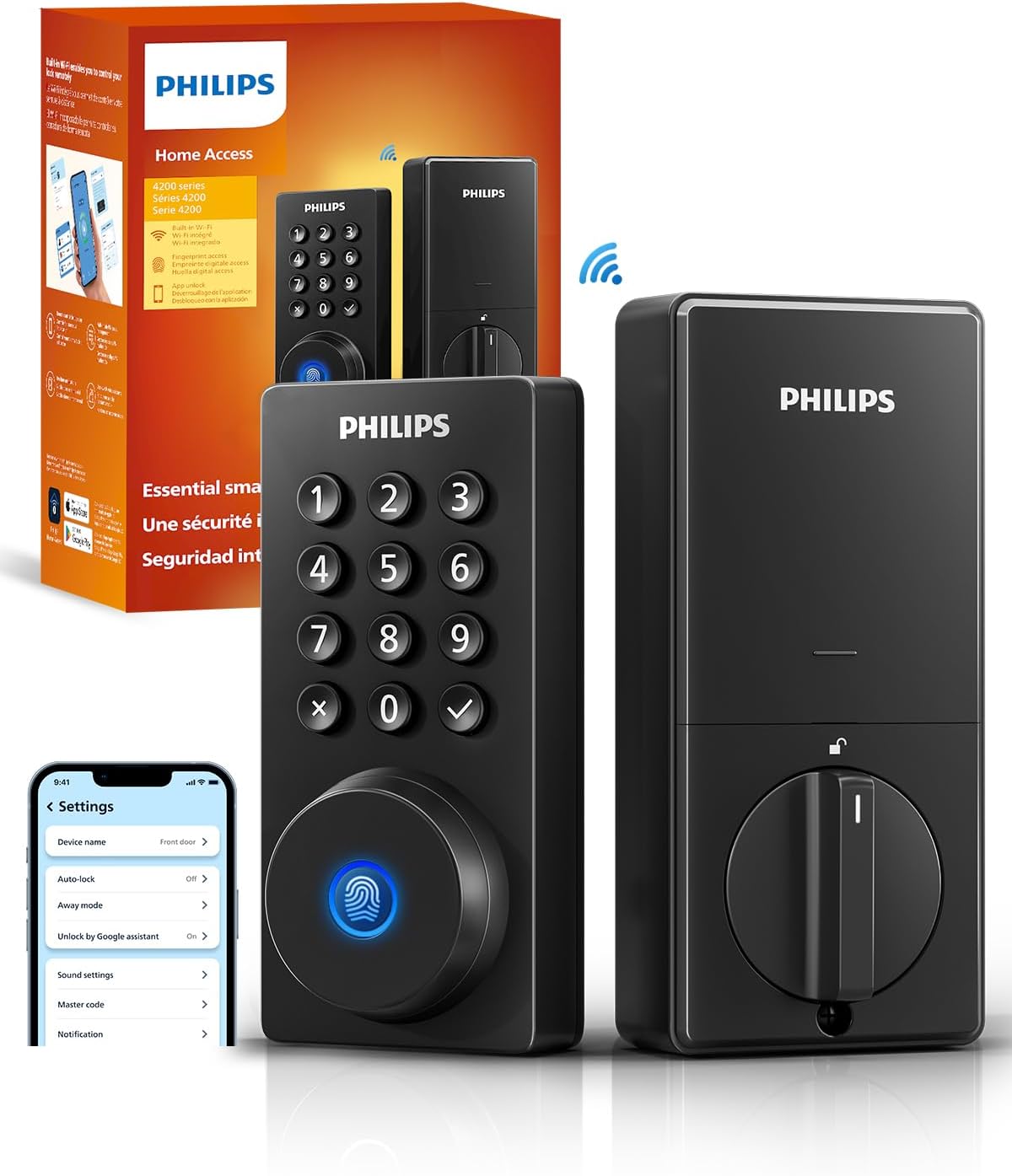


Philips Wi-Fi Smart Deadbolt Lock: A Closer Look at Keyless Entry
Smart locks have moved from being a niche gadget to a genuinely practical home upgrade. The idea of ditching the physical key for a code, a fingerprint, or even your voice is appealing, but the market is crowded with options that promise more than they deliver. The Philips Wi-Fi Smart Deadbolt Lock aims to simplify the entry experience by packing multiple unlocking methods into a single device. This review takes a detailed look at what this deadbolt offers, based on the product’s stated features and specifications, to help you decide if it fits your front door setup.
Design & Build Quality
As a deadbolt, this unit is designed to replace your existing lock, and the installation process is described as a do-it-yourself job that requires only a screwdriver. The manufacturer states that it is compatible with most doors measuring between 1-3/8 inches and 2 inches thick (38mm to 50mm). This covers a standard range of residential entry doors, but it is a specific dimension to verify before purchasing, as the product notes emphasize checking your door size ahead of time.
The installation guidance is worth noting. The instructions point out that proper installation is key to reliable lock operation, with a specific note about routing the cable underneath the latch and inserting the tailpiece into the latch slot. This is a practical detail that suggests attention to the mechanical setup is necessary for the lock to function smoothly. For those who are comfortable with basic tools and following a manual or installation video, the “minutes” claim for setup is plausible, though individual experience may vary depending on door alignment and existing hardware.
Features & Technology
The core appeal of this lock is its versatility in access methods. It offers five distinct ways to unlock the door: a smartphone app, a passcode, a fingerprint, a physical key, and voice control via Alexa or Google Assistant. This multi-option approach means that different members of the household can choose the method they find most convenient. For instance, a child might use a passcode, while a visitor could be given a temporary code, and you might use the fingerprint sensor for quick access.
The fingerprint reader is presented as a one-touch solution, designed to unlock the door instantly for busy mornings. The lock is stated to store multiple prints, which allows for easy access for the whole family. This is a feature that hinges on the quality of the sensor and the enrollment process, but the concept is straightforward: your finger becomes the key.
Passcode access is another key feature. The lock supports creating up to 100 custom passcodes for family, friends, or renters. More importantly, it allows for sharing unlimited one-time or scheduled codes. This is a significant practical advantage for those who frequently have guests, cleaners, or delivery personnel. The ability to issue a code that only works during a specific time window or for a single use eliminates the need to hide a spare key or change the lock after someone leaves.
Connectivity and Remote Access
One of the standout features of this model is its built-in Wi-Fi, which means it can connect directly to your home network without needing a separate hub or bridge device. This simplifies the setup and reduces the number of components you need to manage. With this connection, you can lock and unlock the door remotely from your smartphone from anywhere, offering control whether you are at work or on vacation.
There are important connectivity caveats to be aware of. The lock only supports 2.4GHz network bands, which is common for many smart home devices but is something to check against your router’s settings. Additionally, the manufacturer recommends keeping the router and lock within 65 feet for better remote control. This distance is likely a guideline for optimal signal strength, and walls and other obstructions can affect performance. While the lock has built-in Wi-Fi, the note about keeping it close to the router suggests that a strong, stable signal is crucial for reliable remote operation.
Voice control is integrated through Alexa and Google Assistant. This allows you to lock or unlock the door with a spoken command, which is handy when your hands are full. The product notes advise logging into your own Google or Alexa account first and ensuring a stable network connection before using voice control. This indicates that the feature depends on a properly configured smart home ecosystem and a reliable internet connection to function as intended.
Security and Convenience Features
Beyond the basic unlocking methods, the lock includes several features aimed at enhancing security and convenience. The Auto-Lock function is designed to automatically lock the door after a set delay, which you can configure anywhere from 10 to 180 seconds. This is a useful feature for those who worry about forgetting to lock the door when leaving in a hurry. It is important to note that this model does not have a door sensor, so the auto-lock timer is based on time elapsed, not on whether the door is actually closed.
For extended absences, the Away Mode is designed to add an extra layer of security. When activated, it disables all unlock methods except the master code. This means that even if someone knows a temporary passcode or has a registered fingerprint, they will not be able to gain entry while this mode is active. It is a simple but effective way to secure the home during long trips.
The lock also provides real-time alerts, keeping you informed about who is coming and going. You can receive notifications when the door opens or locks, and there is a full history log of access events. This allows you to check a record of who accessed your home and when, which is a valuable feature for monitoring activity, whether it’s tracking kids coming home from school or seeing when a service person arrived.
Power and Maintenance
The lock is battery-powered, but batteries are not included with the purchase. The manufacturer specifies that you should use AA alkaline (LR6) batteries only to ensure proper operation. This is a critical detail for setup, as you will need to have batteries on hand before you can power the lock. The reliance on alkaline batteries is a standard approach for smart locks, but it means you will need to monitor battery levels and replace them periodically to avoid being locked out.
Who Is This Product Best For?
This Philips Wi-Fi Smart Deadbolt Lock is best suited for homeowners who want to eliminate the hassle of physical keys and appreciate having multiple access options. It is particularly well-suited for those who:
- Want to grant access to guests, cleaners, or renters without being physically present, thanks to the scheduled and one-time passcodes.
- Need the flexibility of remote locking and unlocking from a smartphone while away from home.
- Are already invested in the Alexa or Google Assistant ecosystem and want to integrate door control into their voice commands.
- Prefer the convenience of a fingerprint reader for quick, keyless entry.
- Want to monitor home activity with real-time alerts and an access history log.
It is also a viable option for those who want the security of an auto-lock feature and an Away Mode for travel, provided they understand the limitations of the timer-based auto-lock without a door sensor.
Final Verdict
The Philips Wi-Fi Smart Deadbolt Lock presents a compelling package for anyone looking to upgrade their front door security and convenience. Its strength lies in its flexibility, offering five different ways to unlock the door, which can accommodate the preferences of various household members and visitors. The built-in Wi-Fi is a significant plus, eliminating the need for a separate hub and enabling straightforward remote access.
However, the lock’s effectiveness is tied to a few practical conditions. It requires a 2.4GHz network and a router within a reasonable distance for optimal remote control. The absence of a door sensor means the auto-lock feature is time-based, and the need to purchase AA alkaline batteries separately is a setup consideration. The installation is DIY-friendly for standard door thicknesses, but careful attention to the instructions is necessary for proper operation.
Overall, this is a feature-rich smart deadbolt that offers a broad range of access control and monitoring capabilities. It is a solid choice for those who value flexibility and remote connectivity, as long as you are prepared to meet its network and power requirements.